











By: Anne Sinclair
Which Lirunex Platform Should You Trade On?
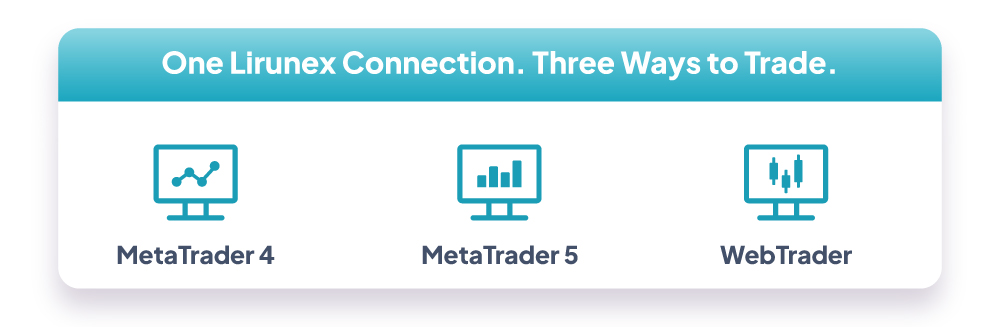
Lirunex gives you three ways to trade on a computer or browser: MetaTrader 4, MetaTrader 5, and WebTrader. All three connect to the same Lirunex pricing and execution, so the right choice comes down to how you like to work, not which one is the better one. Here is a general look at each, with a link to the full setup guide if you want every detail. If you trade from a phone instead, see our mobile setup guide for MT4 and MT5.
WebTrader: Trade From Any Browser, No Download

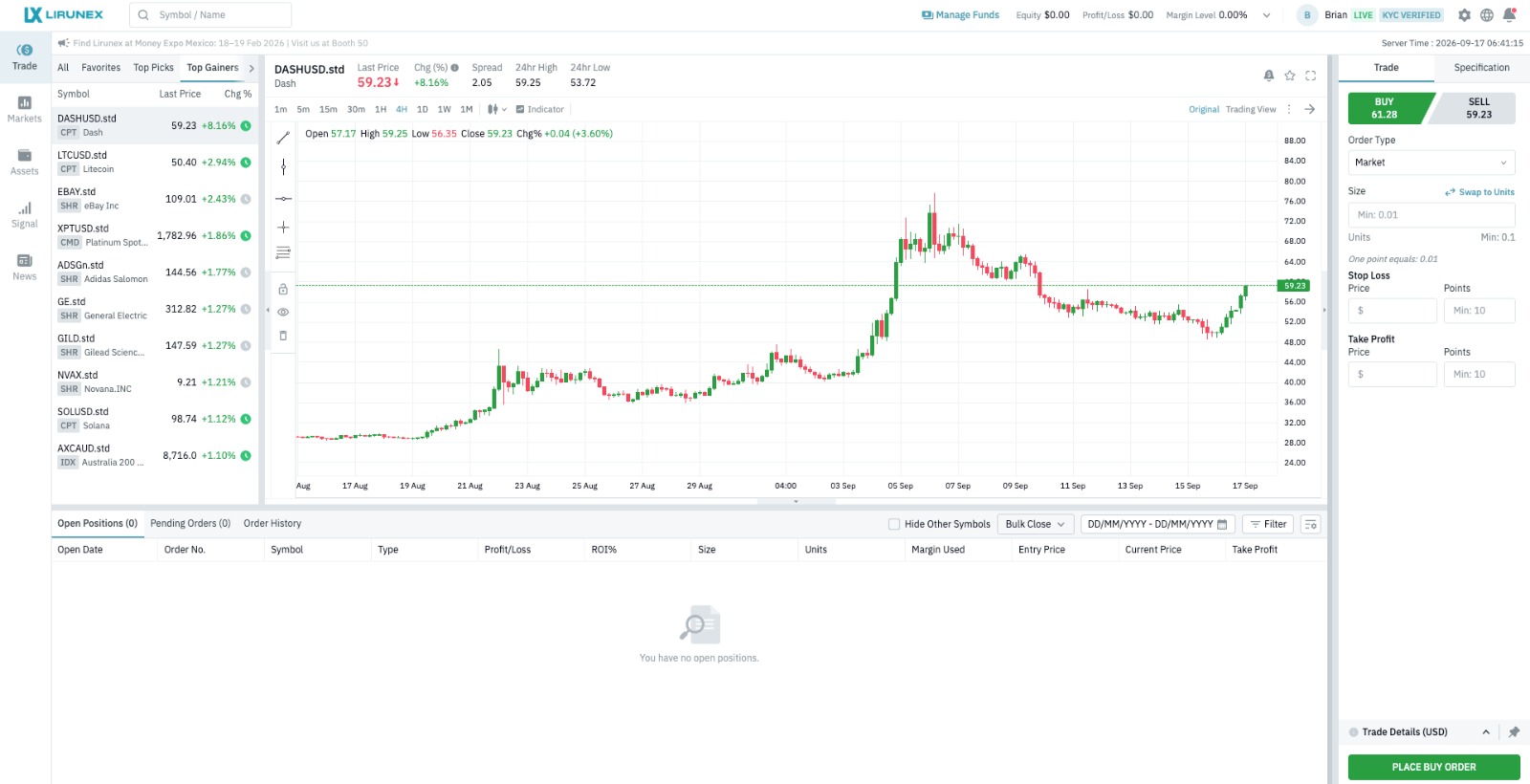
WebTrader↗ runs entirely in your browser, so there is nothing to install and nothing to update. Log in with your usual Lirunex account details and you are straight into a full trading interface, complete with order placement, an overview of your open positions and account balance, market watchlists, and built-in news and chart based ideas. It is a convenient option when you are on a shared or work computer, or simply do not want another application running in the background. One trade-off to know before you pick WebTrader as your only platform: it does not support Expert Advisors or custom indicators, so if you rely on automated strategies you will still want MT4 or MT5 installed alongside it.
Step-by-step guide: WebTrader Guideline (PDF)
MetaTrader 4 (MT4) for PC: The Classic Choice

MT4 is the long standing standard in retail forex trading, and many traders stick with it for its familiar layout and the huge library of expert advisors (EAs) and custom indicators built for it over the years. It is a desktop application you install once, then log in to with your trading account details. From there you get the full MT4 toolkit: order placement, position management, and a detailed trade history. Because MT4 has been around the longest, it also has the largest third-party marketplace for EAs and indicators, which is why many long-time forex traders have not felt a need to move off it.
Step-by-step guide: MetaTrader 4 (PC) Guideline (PDF)
MetaTrader 5 (MT5) for PC: More Markets, More Tools

MT5 is the newer engine from the same developer, and it builds on MT4 with a wider range of order types, more timeframes, and additional built-in analysis tools. It installs and logs in much the same way as MT4, and if you run automated strategies, MT5 has its own EA ecosystem separate from MT4's. It suits traders who want a bit more depth without leaving the MetaTrader family. MT5 also supports both hedging and netting account modes, giving you more flexibility over how offsetting positions on the same symbol are handled than MT4 allows.
Step-by-step guide: MetaTrader 5 (PC) Guideline (PDF)
What About Mobile?
MT4, MT5, and the Lirunex App are all also available on Android and iOS, so you can manage the same account from your phone. Setup steps for every mobile combination are covered in a separate guide: How to Trade Forex on Your Phone: MT4 and MT5 Mobile Setup.
Quick Comparison
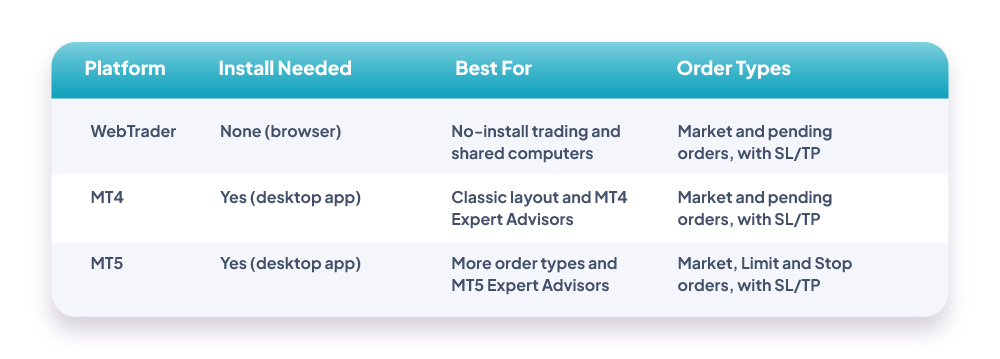
For a fast side-by-side view of this MT4 vs MT5 vs WebTrader comparison, the table below breaks down install requirements, who each platform suits best, and the order types supported, so you can match the right tool to how you trade before diving into the full setup guides.
Frequently Asked Questions
Can I use more than one platform with the same account? Yes. Your Lirunex login works across WebTrader, MT4, and MT5, and you can switch between them at any time.
Do I need to download anything to use WebTrader? No. WebTrader runs in your browser after you log in, with no installation required.
Which platform should a beginner start with? WebTrader is the fastest way to get started with no setup. MT4 and MT5 add more charting and automation tools once you are comfortable with the basics.
Can I switch from MT4 to MT5 later? Yes. Your Lirunex account is not locked to one platform, so you can install MT5 or switch back to MT4 at any time using the same login, and your account balance and trading history stay with your account rather than the platform.
Ready to Trade With Lirunex?
Log in to your Lirunex account to open WebTrader instantly, or download MT4 or MT5 to get started on desktop. Still weighing it up? Revisit the Lirunex trading platforms comparison above, or reach out to support if you want a hand deciding which one fits how you trade.
[ Log in ] [ Open an Account ] [ Explore Trading Platforms ]
Risk Disclaimer: Forex and CFD trading involves significant risk of loss and may not be suitable for all investors. Past performance is not indicative of future results. Please ensure you fully understand the risks involved before trading.